For developers
Your AI agent, in your editor.
Ask about your code, plan a change, or hand off the whole task and review every edit. In VS Code, Visual Studio and Eclipse. Paid in birr.
Frontier models from eight labs. One key.
Claude, GPT, Gemini, DeepSeek and more, behind four simple levels: Auto, Fast, Smart and Max. A whole agent task counts as one request.
 ClaudeAnthropic
 GPTOpenAI
 GeminiGoogle
 DeepSeekDeepSeek
 QwenAlibaba
 KimiMoonshot AI
 GLMZ.ai
 MiniMaxMiniMax
No. 01 — Agent
From task to done, with you in control.
Describe the result. Tsedal plans, reads, edits and tests. Nothing is saved or run without you.
- Plans the workA short checklist, ticked off as it goes. For big work, start in Plan mode and agree the approach first.
- Reads your projectSearches files, finds definitions, and follows your AGENTS.md. Secret files are never read.
- Proposes changesDiffs across as many files as the task needs. Accept, reject, or review them side by side.
- Runs your testsCommands run only after you click Run. When a test fails, it reads the output and fixes it.
- Hands backA summary of what changed. Undo any change, or restore your files to before any message.
Ask about your code. Edit in place.
Ask reads and searches your project to answer, so you rarely attach files. Select code, press Ctrl I and describe the change; Ctrl Enter accepts it. On any error, choose Fix with Tsedal.
How Agent works →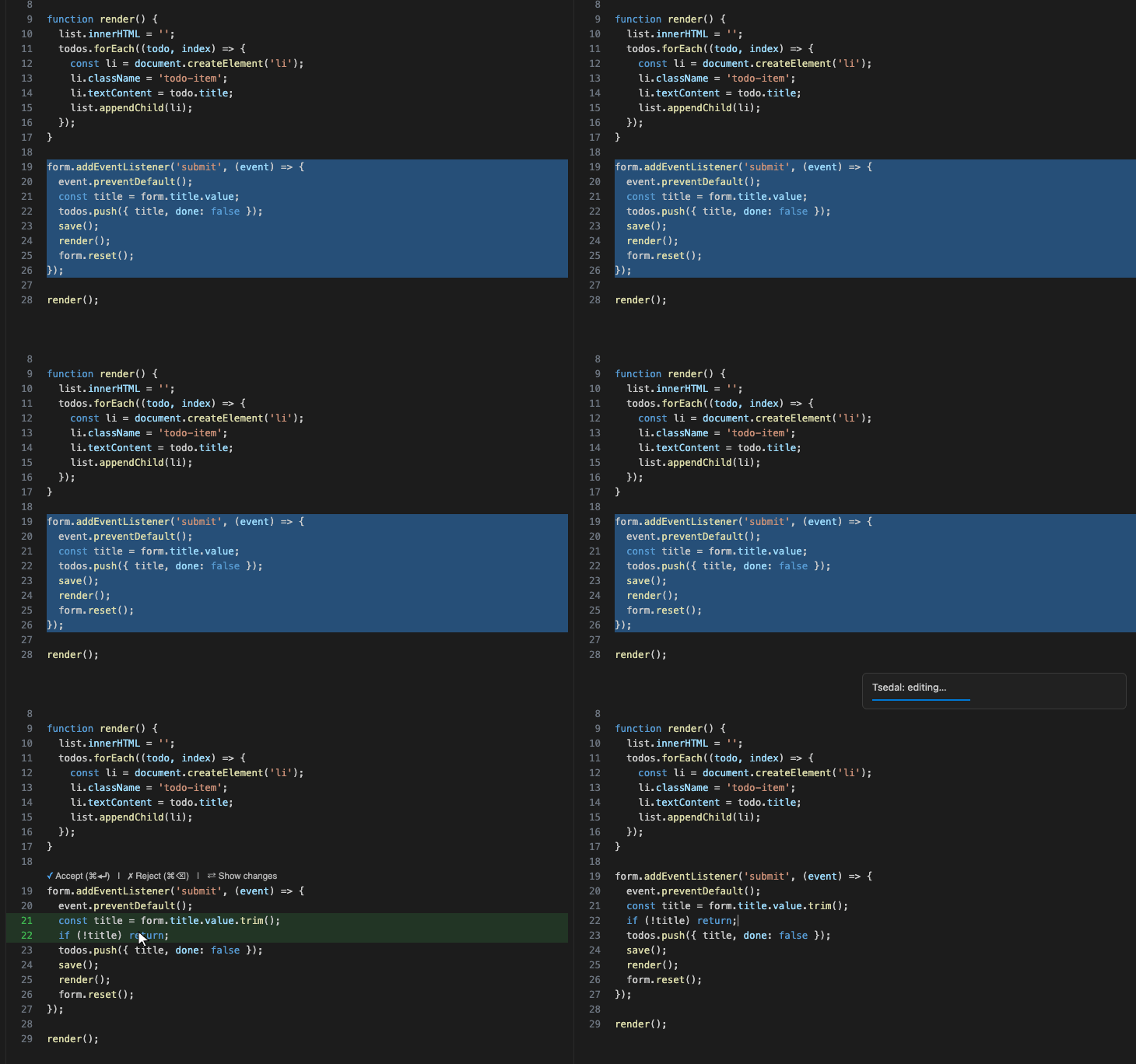
No. 02 — Get started
From zero to your first task in three minutes.
Free, no card needed. You need a computer with VS Code, Visual Studio or Eclipse.
- 01
Install
Search for Tsedal AI in your editor's extensions, or use the links above.
- 02
Sign up free
With Google or your email, below. Your access key appears straight away.
- 03
Paste your key
Open the Tsedal AI panel and paste the key to sign in.
- 04
Hand off a task
Ask, plan or let the agent build it, and review every edit.
No. 03 — Extend
Teach it how your team works.
- Your rules
- Put conventions and test commands in AGENTS.md and Tsedal follows them. Type /init and it writes a first version.
- Your tools
- MCP servers bring in databases, issue trackers and your own services. You approve each tool call. In VS Code.
- Web search
- When an answer depends on a new release, the agent searches and reads a page, after you allow it.
- Your commands
- Add Markdown files to .tsedal/commands/ and deploy.md becomes /deploy for your whole team.
No. 04 — Plans
Plans for developers, paid in birr.
Pro For developers
2,000ብር
per monthGenerous daily allowances, Agent on Smart and Max, PDFs and logs.
Get ProBusiness
Custom
invoiced monthlyOne account for your team, a key per developer, bank transfer and priority support.
Talk to usCode from your editor is never stored. Just want to chat? The Chat plan is 500 ብር a month.
No. 05 — Questions
From developers.
What's the difference between Ask, Plan and Agent?
Ask answers questions about your code and never changes your files. Plan studies your project and writes a step-by-step plan without changing anything. Agent carries out the work: it edits files and runs commands, and you review every change.
Which editors are supported?
Visual Studio Code (and VSCodium and other editors through Open VSX), Visual Studio 2022 and 2026, and Eclipse. JetBrains IDEs, Android Studio and Xcode are coming soon. See how to install.
Is it safe to let the agent change my code?
Every change is shown as a diff you can accept or undo, commands run only after you approve them, and secret files such as .env are never read. Keep using version control as usual.
Do you keep my code?
No. From the editor extensions, we don't keep your prompts, your code or the answers. For each request we record only that it happened, which level answered and how large it was. Read the terms and privacy.
What happens when I use up an allowance?
You see when it resets, and you can keep working at another level meanwhile. A whole agent task or plan counts as one request, however many steps it takes.
How do I pay?
Message @tsedalAIsupport on Telegram with the plan you want and your account email. We send Telebirr or bank details and switch your account within a few hours. See how upgrading works.
Free account
Start building with Tsedal AI.
- Sign upTell us who you are and which editor you use.
- Confirm your emailClick the link we email you and your access key appears straight away.
- Install and startInstall Tsedal AI, paste your key and ask your first question.
Questions? support@tsedalai.com or the Tsedal AI Telegram group.